
Software neural4d

Model concepts

Using neural4d for 3d models, from brief to review

If you are exploring neural4d for 3d models, start with a clear reference and a specific use case—not an assumption that an attractive preview is a production-ready asset. This guide shows how to brief a concept, assess the result, and decide what needs work next.

Check available options after handoff
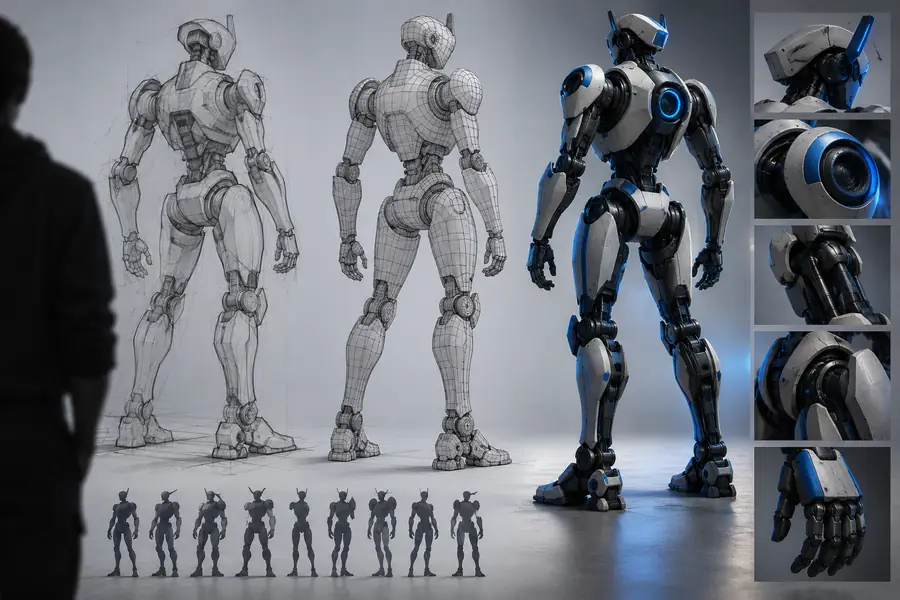
Illustrative 3D concept shown in Neural4d site imagery

Where a promising 3D concept can stall

Different teams need different things from a model. A convincing image may answer a presentation question while leaving geometry, scale, or delivery unresolved.

Product designer

You need to discuss a proposed object before anyone commits to detailed modeling. A silhouette and material direction can make the conversation concrete, but a preview cannot establish dimensions or assembly.

Use the concept to gather feedback on form, then define the measurements and construction details separately.

neural4d mockup
Game artist

You need a prop direction for an art review, not an unexamined promise of an engine-ready asset. Surface appeal alone says little about topology or texture suitability.

Compare the design with the game's visual language and put technical checks on the asset handoff list.

neural4d vs 3d model

Educator

You want a visual object to help students discuss shape and perspective. The image may support that discussion without being suitable for printing or physical demonstration.

Label the concept as illustrative and verify any model properties before building an exercise around them.

neural4d software

Independent creator

You have an idea for a character or collectible and want to test its appearance. Access conditions and permitted uses matter before you plan a deliverable around it.

Evaluate the visual direction first, then check the current service terms and available outputs.

is neural4d free

Three concrete workflows for a model brief

These workflows keep the creative question separate from the technical question. Use the one that matches your next decision.

  1. 1

    Explore a silhouette

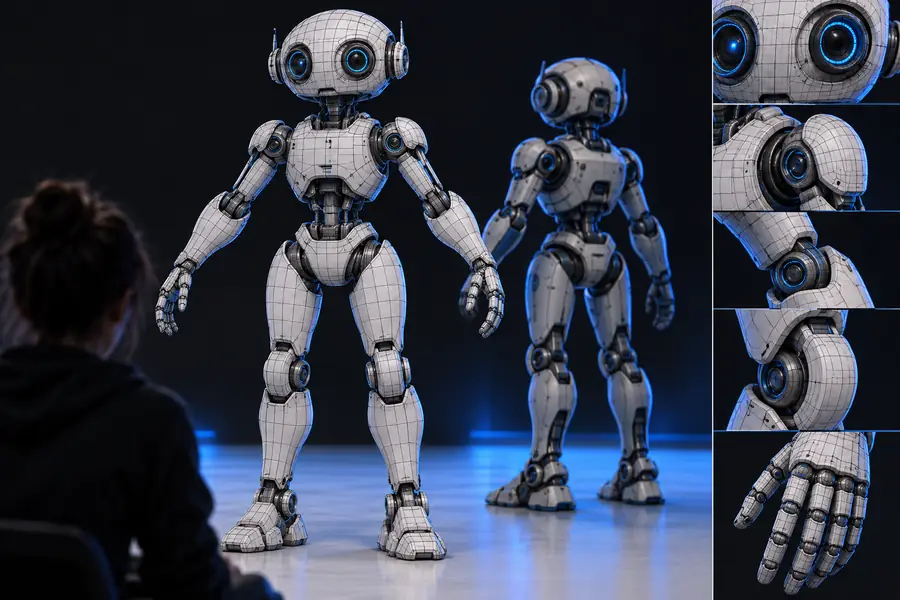
    Describe one object, its dominant shapes, and the viewing angle. For a service robot, specify a rounded shell, short limbs, and a visible front panel. Review whether the outline communicates the intended role before adding small details.

  2. 2

    Test a visual direction

    Keep the object's shape consistent while changing one design variable, such as material, color, or surface complexity. Compare the concepts against a brief instead of choosing whichever looks most polished in isolation.

  3. 3

    Prepare a handoff

    Record the chosen view, intended scale, material references, and features that must survive production. Treat the concept as a reference; ask a modeler or technical artist to inspect any actual asset before it enters a build.

Questions to resolve alongside the workflow

A concept is easier to use when you know whether you need a visual mockup, an editable asset, or simply a way to compare approaches.

What an example concept does—and does not—show

Use this comparison when reviewing 3D models for a real project. It distinguishes evidence visible in a concept from properties that require access to an asset.

1

Primary purpose

Visual concept

Communicate appearance and direction

Production model

Support a defined production task

2

Silhouette

Visual concept

Can be judged from a clear view

Production model

Must remain coherent from required views

3

Geometry

Visual concept

Cannot be established from a preview alone

Production model

Requires inspection of the actual geometry

4

Scale

Visual concept

May be ambiguous without a reference

Production model

Needs dimensions appropriate to the project

5

Materials

Visual concept

Suggests a look or finish

Production model

Needs usable material and texture setup

6

Rigging

Visual concept

A pose does not demonstrate a rig

Production model

Needs testing if the object must move

7

Delivery

Visual concept

Useful as a review reference

Production model

Must meet the recipient's technical requirements

Read the visual example as a direction, not proof

  • Brief illustration
  • Concept illustration

These images illustrate a review conversation; they do not document a verified conversion or establish that an editable 3D asset was produced. Judge shape and styling here, then inspect any delivered asset separately.

Illustrative image for a 3D model concept brief
Illustrative robot concept preview

Compliance and production checks before reuse

A visually useful concept is not automatically cleared for publication, manufacturing, or inclusion in someone else's project.

  • No guaranteed production geometry

    This route cannot verify topology, watertightness, dimensions, rigging, or compatibility from an image. Those properties depend on the actual asset and its intended use.

    WorkaroundInspect the delivered asset in the tools required by your project and document any repairs.

  • No automatic rights clearance

    A generated-looking result does not establish ownership, commercial-use permission, or freedom from third-party rights. References and recognizable designs may raise separate concerns.

    WorkaroundCheck current service terms, document source references, and seek appropriate review for sensitive uses.

  • No promise of a particular output

    This page cannot confirm which formats, controls, or export options are available after the handoff. Do not commit to a delivery specification based on the illustrative images.

    WorkaroundConfirm the available options and test a representative asset before setting a production deadline.

  • No substitute for subject review

    A concept can look plausible while depicting an impractical joint, misleading mechanism, or unsuitable detail for its audience.

    WorkaroundHave a designer, technical artist, or relevant subject expert review it against the original brief.

Take a specific idea into the next review

Start with a brief you can evaluate

Describe the object's shape, purpose, and one or two features that matter most. After the handoff, check the available options and assess any result as a concept first; verify technical properties and rights before treating it as a deliverable.

Explore 3D concepts
  • Name the intended use
  • Review the visible design
  • Verify any actual asset

FAQ: using Neural4d for model concepts

The related search expresses that goal, but it does not establish which outputs are available through the destination. Check its current options directly, and inspect an actual delivered file before assuming it meets your definition of a 3D model.

Name the object, its purpose, dominant shape, viewing angle, and a few defining features. If you are comparing directions, change one variable at a time so the feedback is useful.

Compare its appearance with your brief first. For production use, check the actual asset for scale, geometry, materials, and any project-specific requirements; a preview cannot answer those questions on its own.

Do not infer permission from how the concept was made or displayed. Read the current terms of the service you use and review any source references or recognizable protected material before publication or delivery.

Start creating
Start creating